Jobs unassigned warnings
Applies to v1.7+ · ~3 min read · Troubleshooting
An unassigned warning means optimization could not place one or more jobs into a vehicle route.
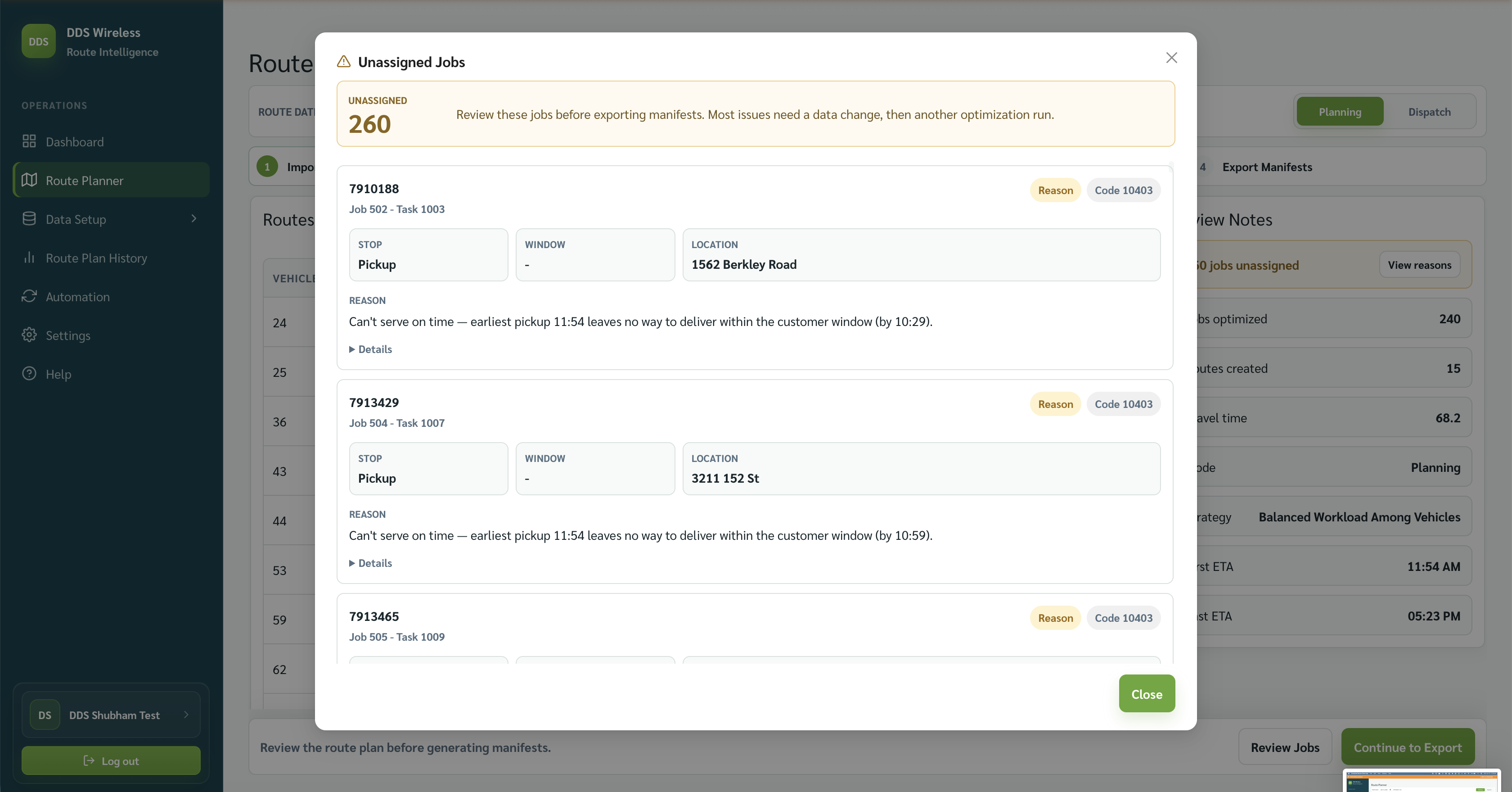
Read the warning
- On Review Route Plan, find the unassigned count in Review Notes.
- Select View reasons.
- Review the job name, stop, window, location, reason, and code shown for each job.
Fix the cause
Common fixes include:
- Add or correct a vehicle Start location.
- Correct a job time window that cannot be reached.
- Check vehicle shift, capacity, and required skills.
- Correct the source file and import it again.
After changing the data, return to Choose Strategy and run optimization again.
Export review
Review all unassigned jobs before exporting. The warning shown in the app says these jobs should be reviewed before exporting manifests.
Related: Fix unassigned jobs · Unassigned reason codes · Review the route plan