Manifest field reference
Applies to v1.7+ · ~4 min read · Export and manifests
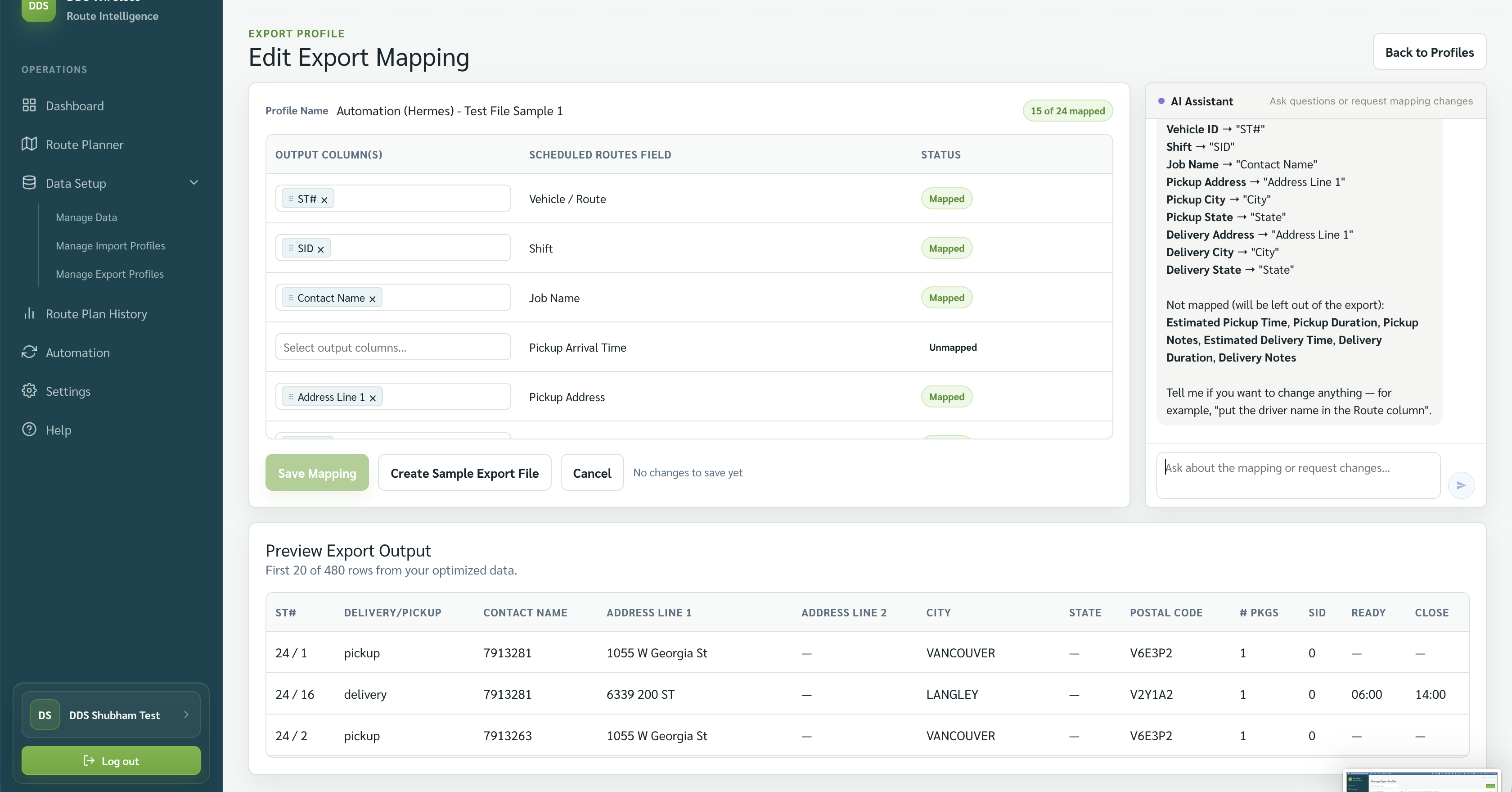
This reference lists output fields visible in the supplied export-mapping and manifest-preview screens.
Fields visible in the mapping
| Scheduled Routes field | Typical use |
|---|---|
| Vehicle / Route | Identifies the vehicle or route. |
| Shift | Shows the vehicle shift. |
| Job Name | Identifies the job. |
| Pickup Arrival Time | Planned arrival for pickup. |
| Pickup Address | Pickup location. |
| Stop Order | The sequence within the route. |
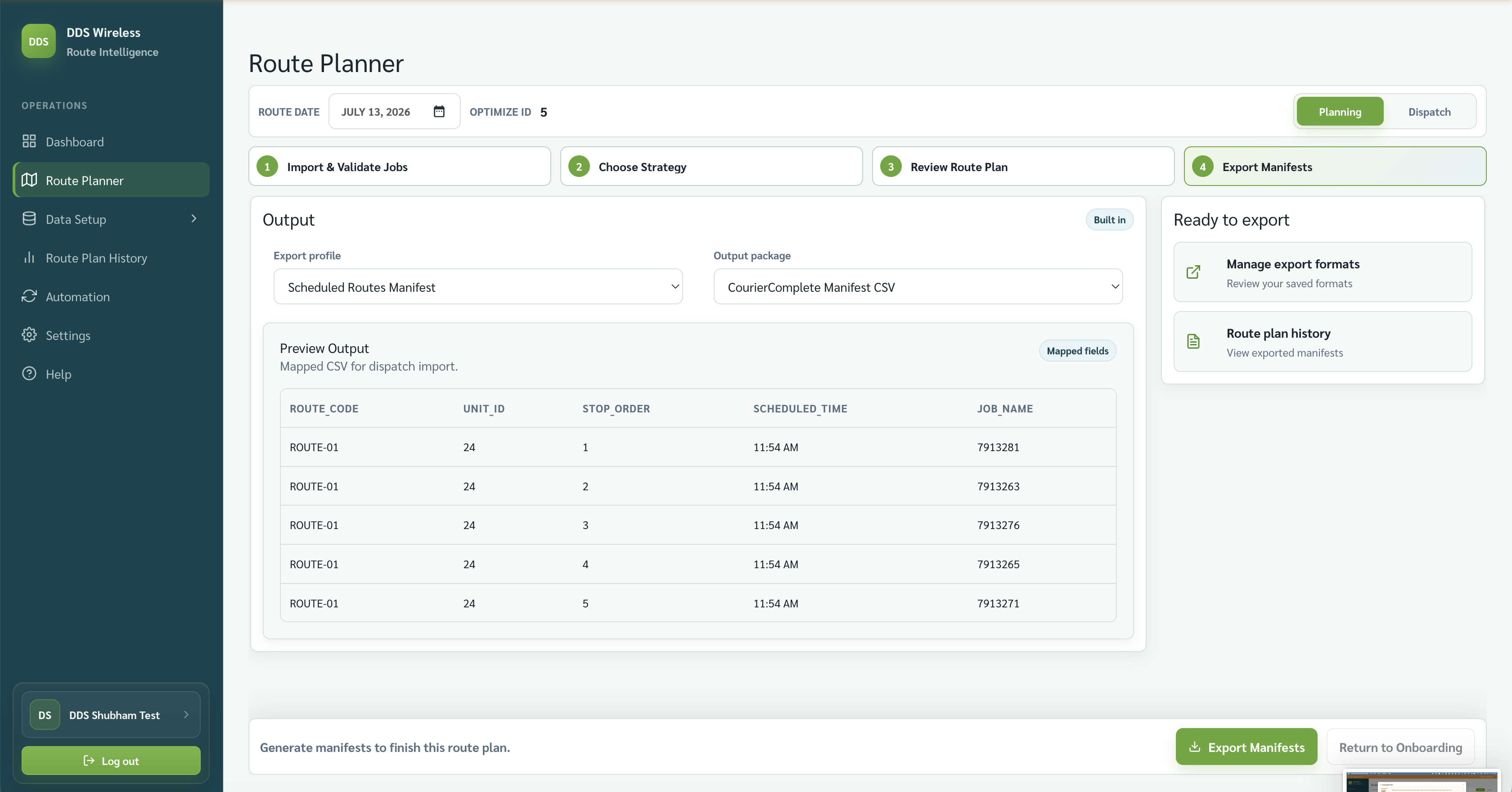
Fields visible in the built-in preview
The built-in preview shows Route Code, Unit ID, Stop Order, Scheduled Time, and Job Name.
Field list depends on your export profile
The exact columns in a manifest come from your export profile and the output package you choose (PDF, Excel, or CSV). A complete, labelled field catalogue will be published in a later update.
Related: Custom export formats · Manage export formats · Built-in exports