Settings overview
Applies to v1.7+ · ~3 min read · Settings and support
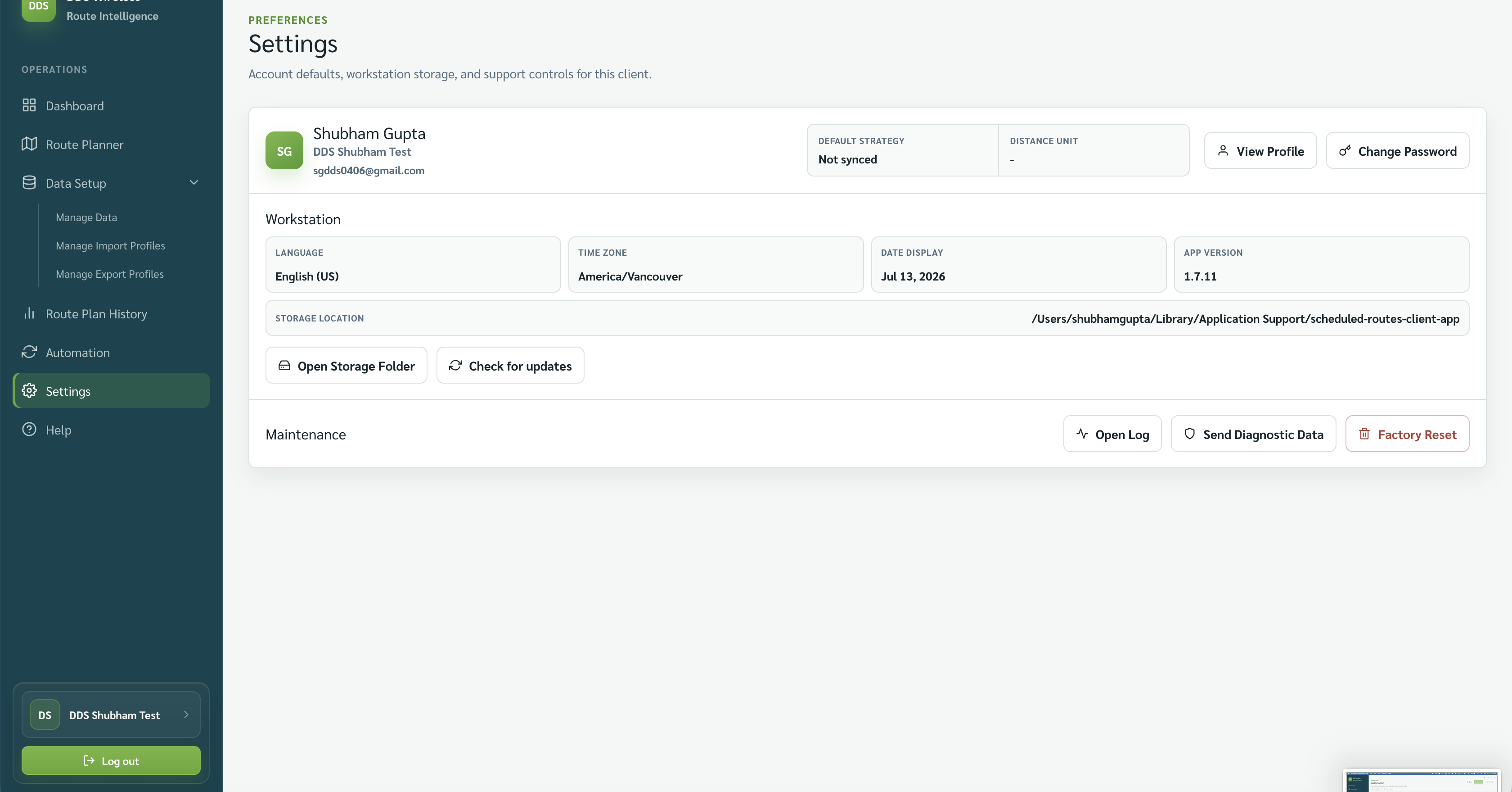
Settings brings together account actions, workstation details, storage, updates, and maintenance.
Account
Use View Profile and Change Password from the account row.
Workstation
The supplied screen shows Language, Time zone, Date display, and App version. It also shows the local Storage location with Open Storage Folder and Check for updates.
Maintenance
Use Open Log and Send Diagnostic Data when troubleshooting. The screen also shows Factory Reset.
Factory Reset
Factory Reset returns the app to a brand-new state and removes all local data. There is no undo — see Clear data vs Reset workstation before using it.
Related: Your profile and password · Logs and diagnostics · Storage, updates and version