Add, replace, clear and manually add jobs
Applies to v1.7+ · ~5 min read · Plan routes
Change the jobs included in the current Route Planner session before choosing a strategy.
Review and edit loaded jobs
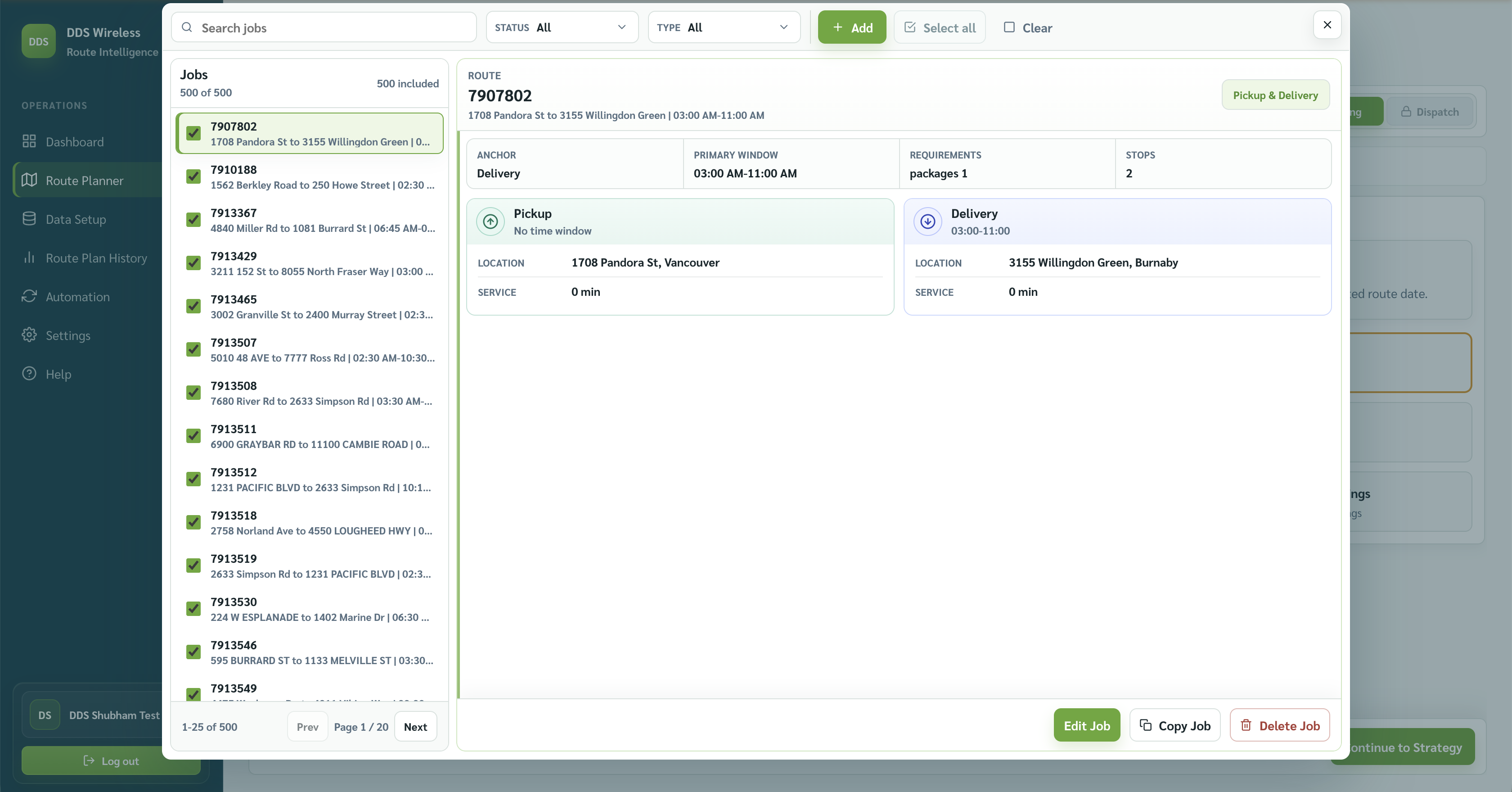
On Import & Validate Jobs, select Manage Jobs in Plan Tools. Search, filter, and select a job to review its pickup, delivery, requirements, and stops. Available actions include Edit Job, Copy Job, Delete Job, and + Add.
Import another file
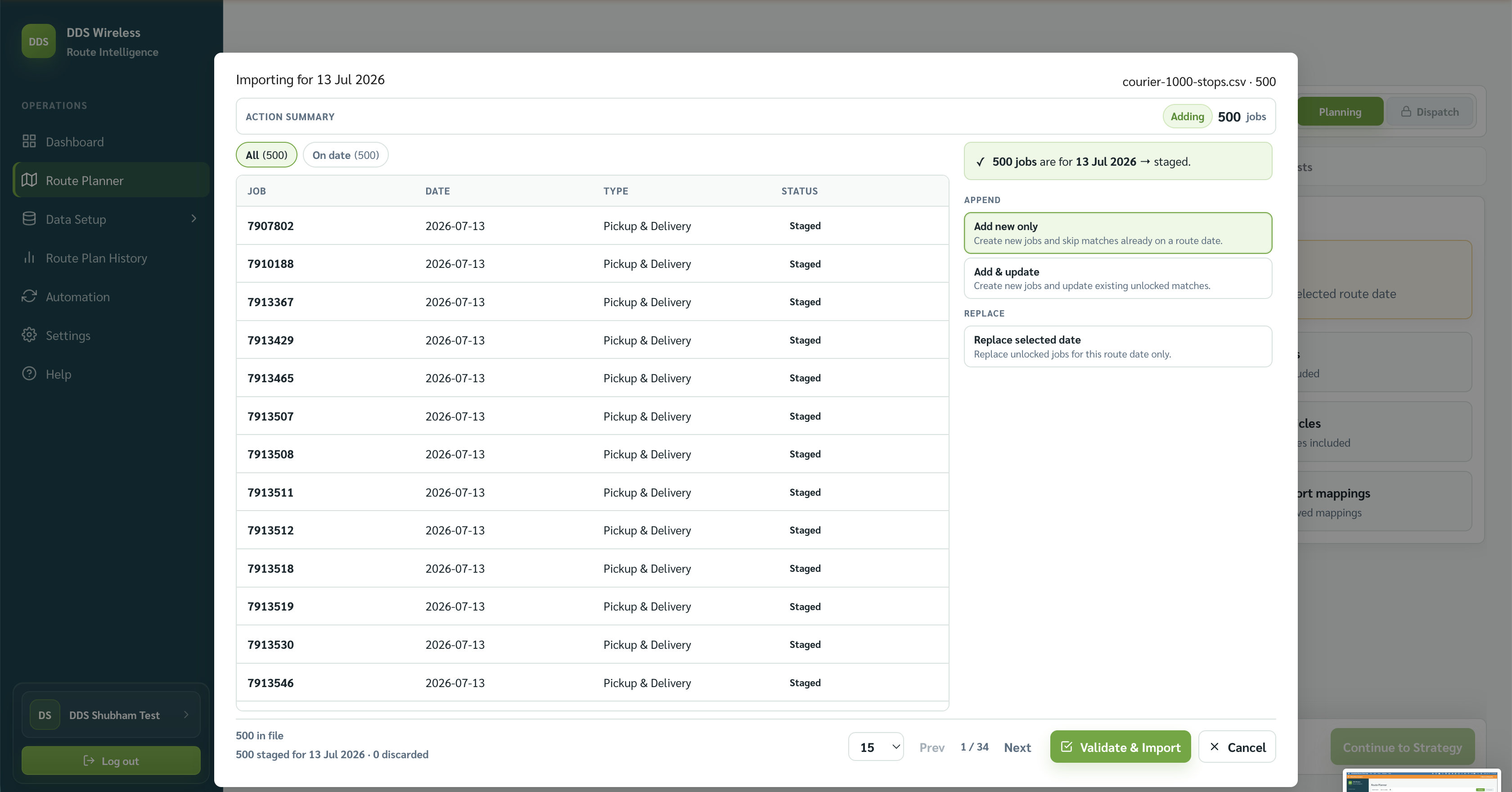
Select Import and choose a file. This opens the staging review; nothing enters the plan until you select Validate & Import.
Review the JOB, DATE, TYPE, and STATUS columns. The top Action Summary describes the pending change, while the footer reports the number of jobs in the file, staged for the route date, and discarded. Use All and On date to filter the rows.
Jobs on the route date are staged automatically. Jobs without a date are assigned to the route date. For future jobs, choose Schedule for future, Move to route date, or Discard. For past jobs, choose Move to route date or Discard.
Choose one merge option:
| Action | Use it for |
|---|---|
| Add new only | Add new jobs and skip matches already on the route date. |
| Add & update | Add new jobs and update existing unlocked matches. |
| Replace selected date | Replace unlocked jobs for this route date only. |
Locked jobs are protected
Locked jobs are never overwritten or dropped. They are reported as skipped.
Select Validate & Import after reviewing the staged jobs.
Clear the current jobs
Select Clear Jobs on the Import & Validate Jobs step, then confirm. Clear Jobs works in the context of Route Planner — it clears the jobs loaded for the current route date.
Result
The Jobs included count reflects the current list. Review Needs attention, then select Continue to Strategy.
Related: Daily planning workflow · Re-optimize a plan · Import your jobs