Job file reference
Applies to v1.7+ · ~4 min read · Import guides
Use this reference when preparing a daily job file or reviewing a job saved mapping.
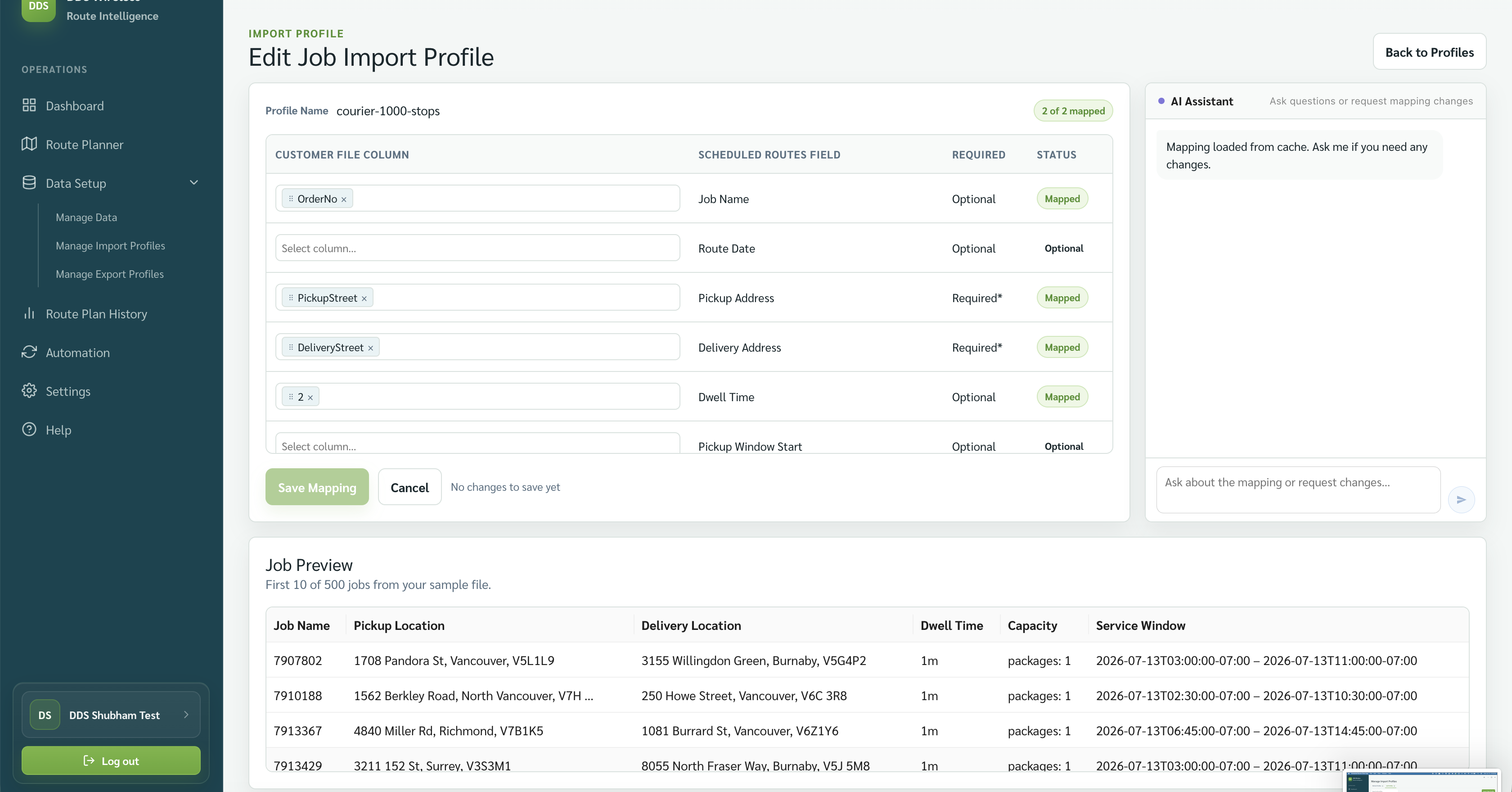
Fields shown in the mapping screen
| Scheduled Routes field | Mapping status shown | What to provide |
|---|---|---|
| Job Name | Optional | A recognizable job name or number. |
| Route Date | Optional | The date the job belongs to, when present in your file. |
| Pickup Address | Required | The pickup location. |
| Delivery Address | Required | The delivery location. |
| Dwell Time | Optional | Time spent servicing the location. |
| Pickup Window Start | Optional | Earliest pickup time, when used. |
File preparation checklist
- Keep one job per row.
- Keep headings stable so the same saved mapping can be reused.
- Use complete pickup and delivery addresses.
- Keep dates and times consistent across the file.
- Use capacity units that match the vehicle capacities.
- Review the Job Preview before saving.
Accepted formats and fields
Job files can be CSV, XLS, or XLSX, with no fixed file-size limit. Addresses use fuzzy matching to find the closest location, and times are read in the app's (your) time zone. The mapping screen shows more rows than fit on screen — scroll to map optional fields. Only Pickup Address and Delivery Address are required.
Related: Import your jobs · Saved mappings · Wrong times or units